
Wishlists make saving and sharing your favorite products so easy, whether you’re planning ahead or helping someone else get started.
You can create multiple wishlists for different things. Future orders, loyalty orders, gift ideas, or even a custom starter bundle for a new customer. If you’re ever unsure what to order next, this is such a helpful way to be intentional instead of impulse shopping.
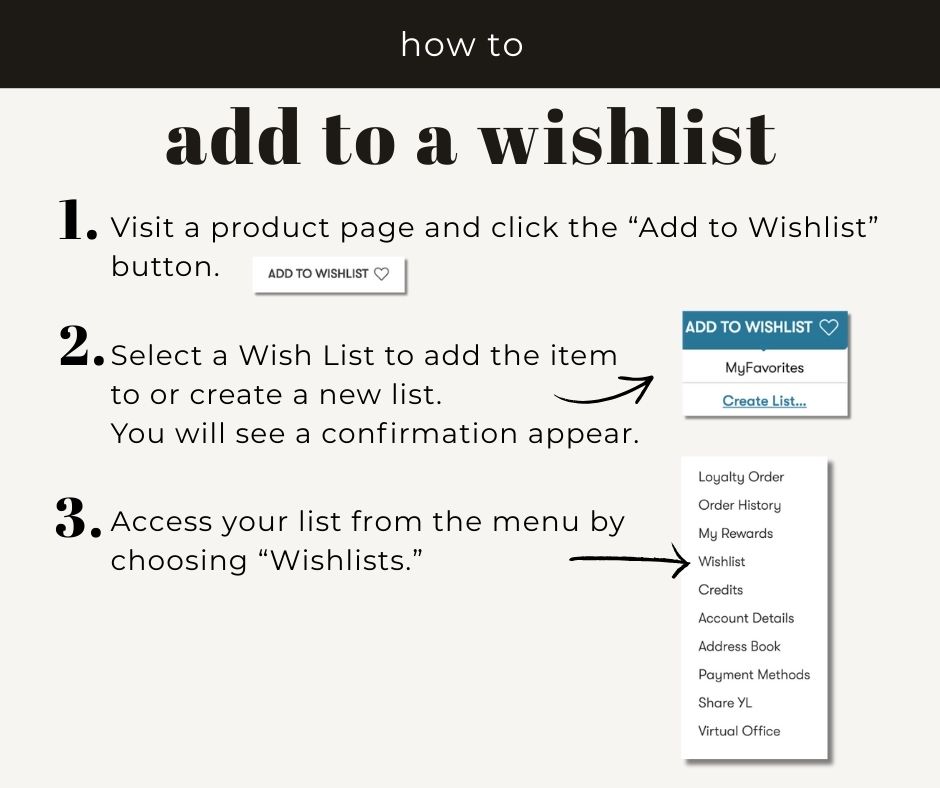
Anytime you’re on a product page, just click Add to Wishlist and save it for later. You can also build beginner-friendly lists for new customers or thoughtful bundles to share with friends and family. It’s honestly such a great planning tool.
Here’s how it works:
• Create a list of your favorite items or build a custom bundle
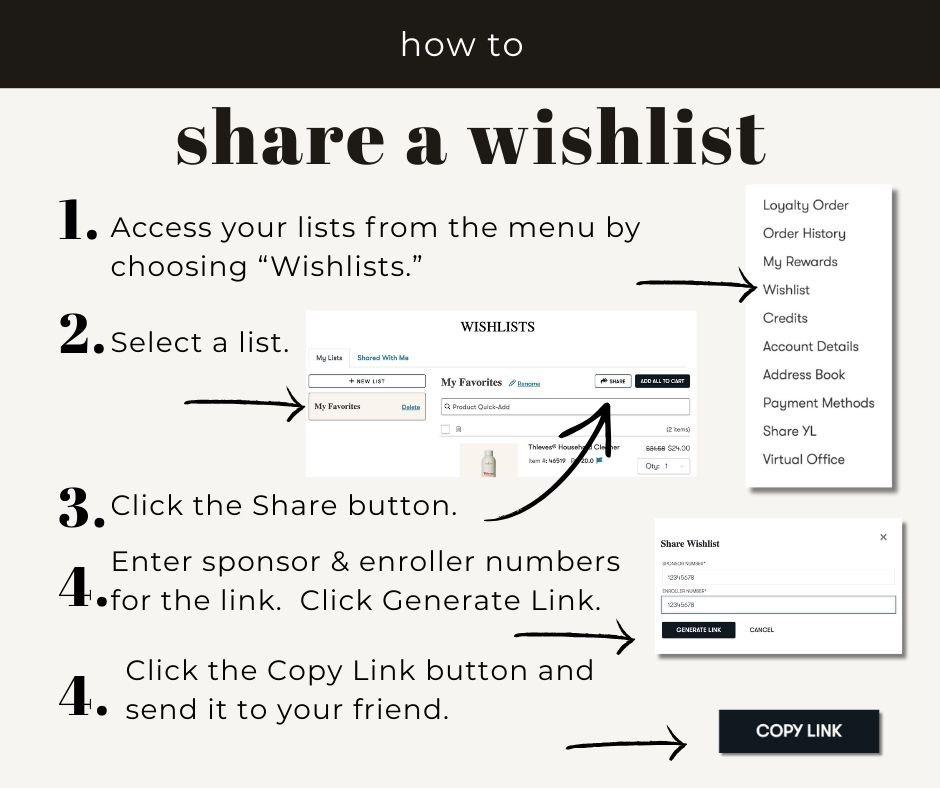
• Go to the Wishlists page, choose the list you want, and click Share at the top
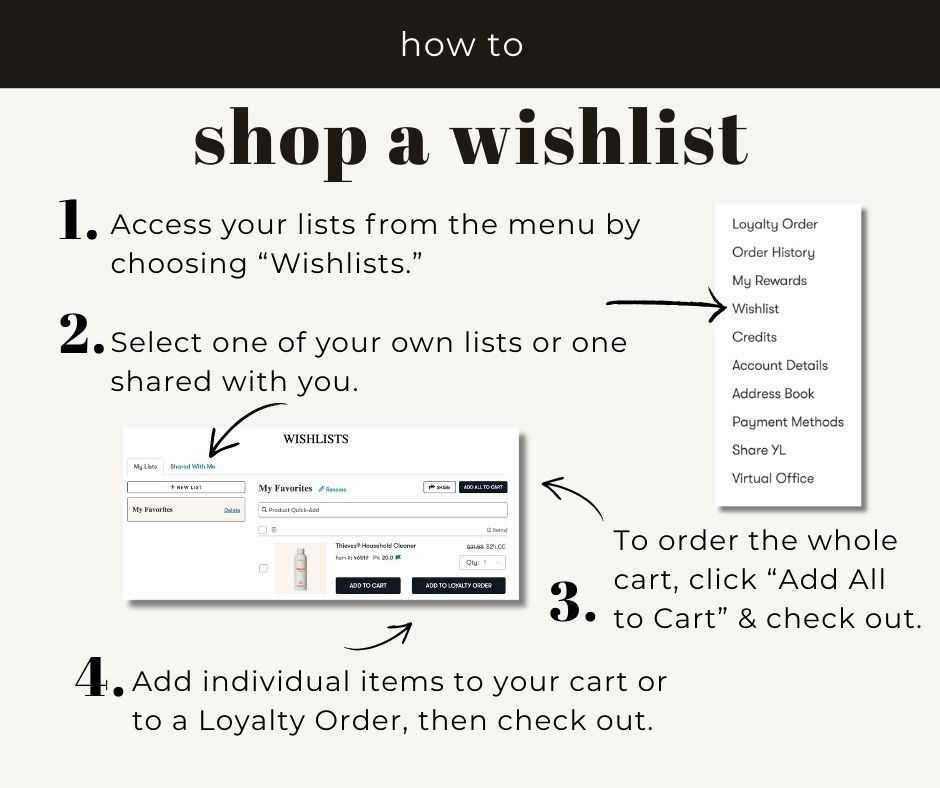
• From there, you or whoever you share it with can click Add to Cart or Add to Loyalty Order
• It makes sharing product ideas with friends, family, and new enrollees way easier
Get your favorite products and ideas ready to share.
A few quick FAQs:
How many Wishlists can you create?
As many as you want. There’s no limit.
How many items can you add to a Wishlist?
As many as you like. Just know that once a list has more than 15 items, the Add All to Cart button won’t work.
Can you edit a Wishlist?
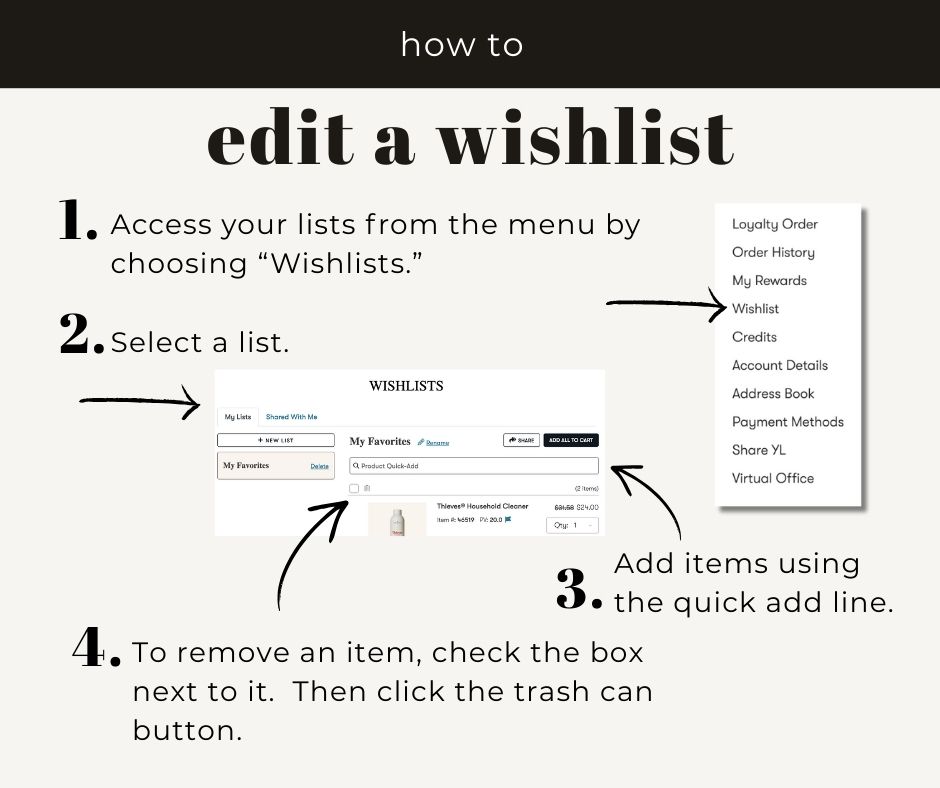
Yes. You can add or remove products and rename your lists anytime.
Can you delete a Wishlist?
Yep. There’s a delete button next to each Wishlist name.
Will I know if someone shares a Wishlist with me?
You won’t get a notification, but any lists shared with you will show up under the “Shared with me” section on the Wishlists page.
This is such a simple tool, but it makes planning orders and helping others feel so much easier.
 DISTILLERY 9